Solvera Trading
One indicator. Built for day traders.
A premium charting system that visualizes the structure that matters, flags the zones the market reacts to, and prints the trade with stop loss, three targets, and your position size estimate. One workflow, one chart.
14 days free on Basic and Premium. $1 card check, credited back. Cancel anytime.
Live indicator simulation · USDCAD 5M · loops every 12s
Methodology
Six components. Engineered together.
- 01
Structured setup visualization
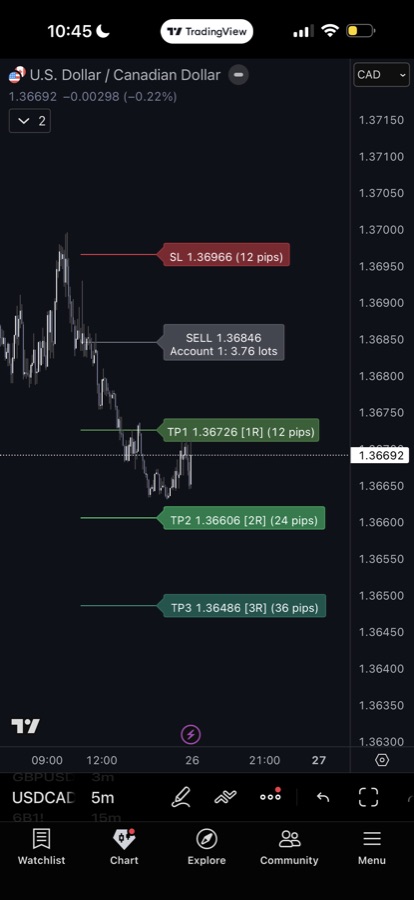
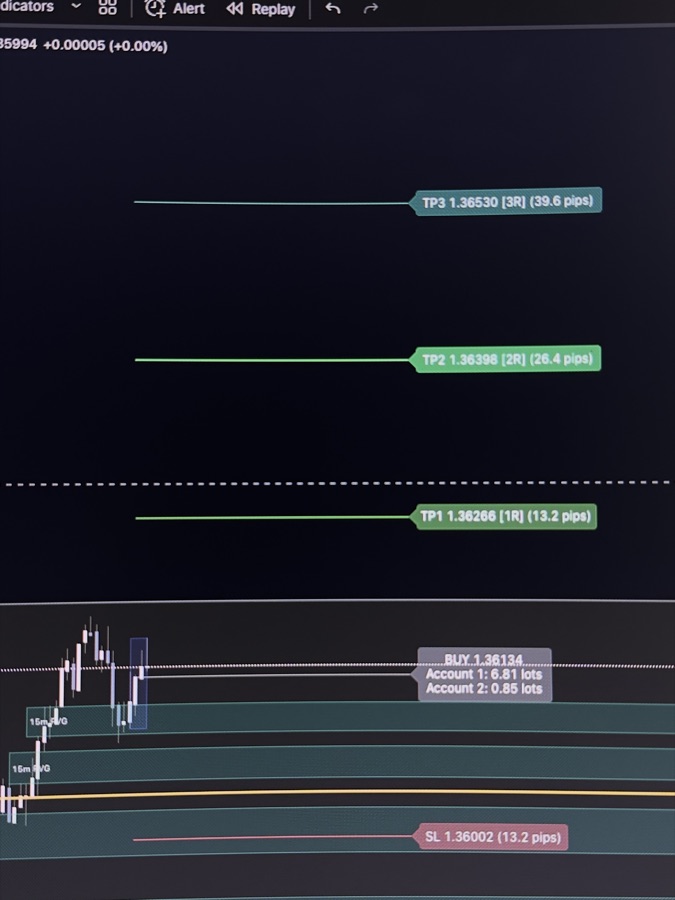
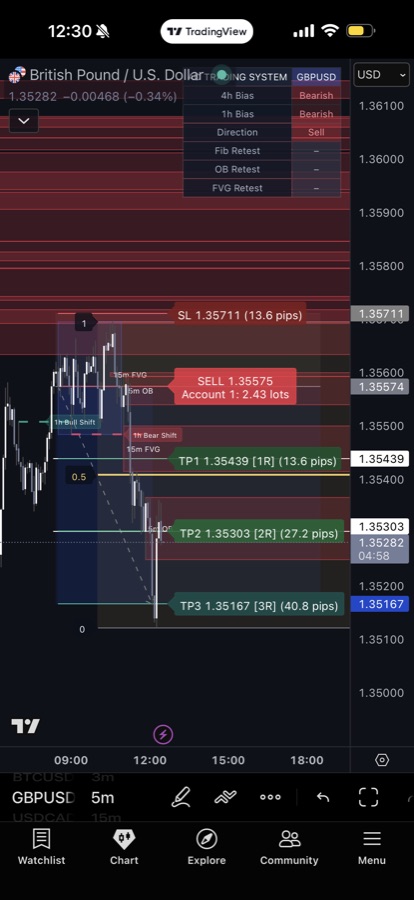
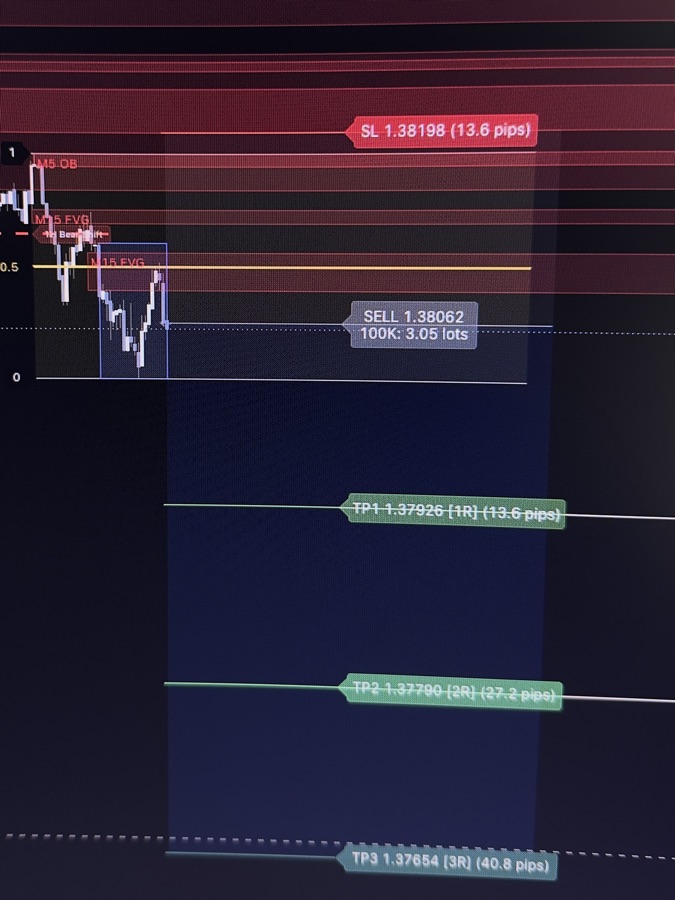
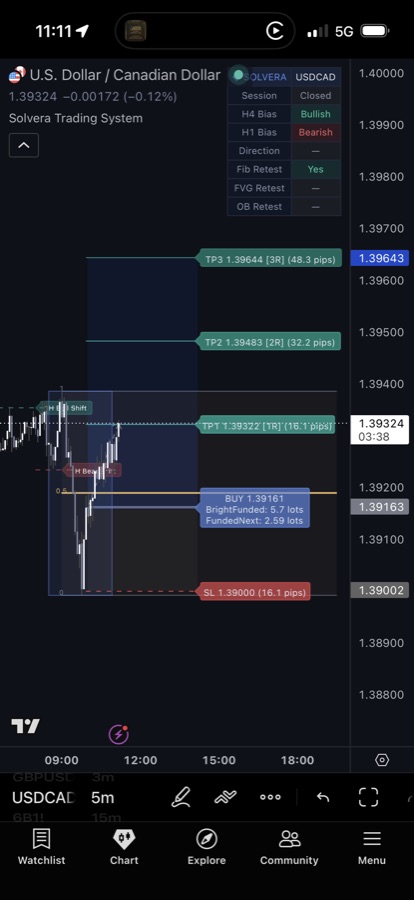
When conditions align, the system prints the entry on your chart with stop loss and three targets already placed. No spreadsheet, no calculator, no guessing where the levels go.
- 02
Market clarity dashboard
A compact status panel sits on the chart and shows where the read sits at a glance. Bias, trend alignment, setup status, and session, all in one view.
- 03
Reactive zone detection
Key zones the market reacts to are detected automatically and kept aligned with current direction. Off-direction noise hides so the chart stays clean.
- 04
Adaptive reference levels
Reference levels update with price in real time. The map moves with the market so the read stays accurate without manual redrawing.
- 05
Session-aware framework
Built around the New York session. Configure your own window, timezone, and the active times that match how you trade.
- 06
Risk planning tools
Configure up to three account profiles with custom size and risk percentage. Position size estimates print directly inside the entry label.
Account Profiles
Up to three adjustable. Sized at the moment of entry.
Configure up to three account profiles inside the indicator. Set your own size and risk percentage on each one. When a BUY or SELL prints, the indicator estimates the position size for every enabled profile and writes the numbers directly into the entry label. Built for traders who manage more than one account.
- Custom account size input per profile
- Custom risk percentage input per profile
- Position size estimates for every enabled profile
- Forex pip value and futures tick value detected from the symbol
Account sizes and risk percentages shown in the example are illustrative. Every profile is fully editable in the indicator settings.
Position size estimates
Adjustable
- 01Main account$100,000 · risk 0.33%1.57 lots
- 02Prop firm A$50,000 · risk 0.50%1.19 lots
- 03Evaluation$25,000 · risk 1.00%1.19 lots
Profile names, account sizes, and risk percentages are user-defined in indicator settings. The values shown are illustrative only.
Proof
The system on real charts.
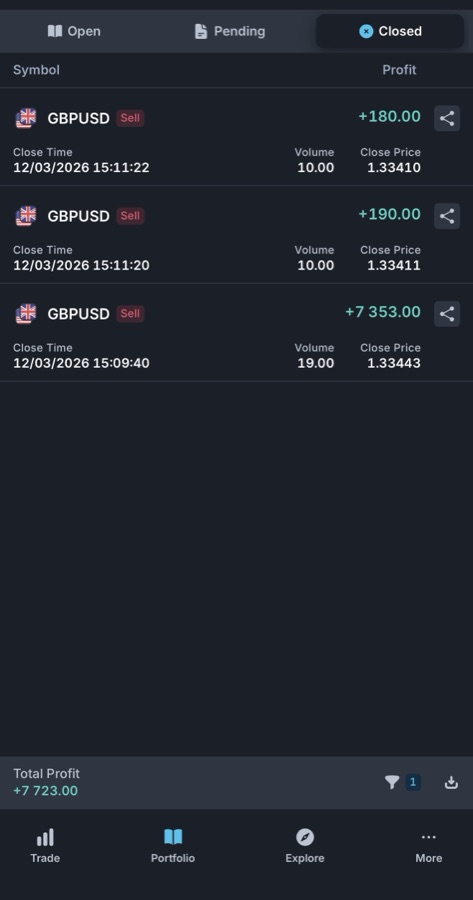
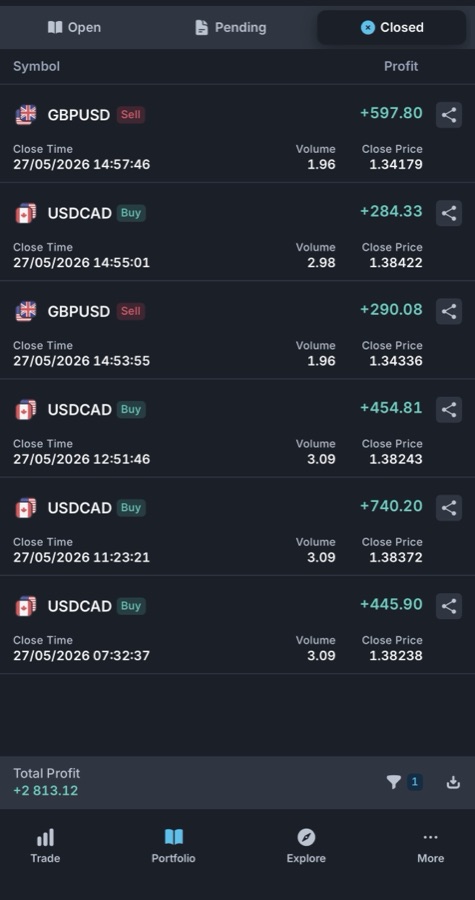
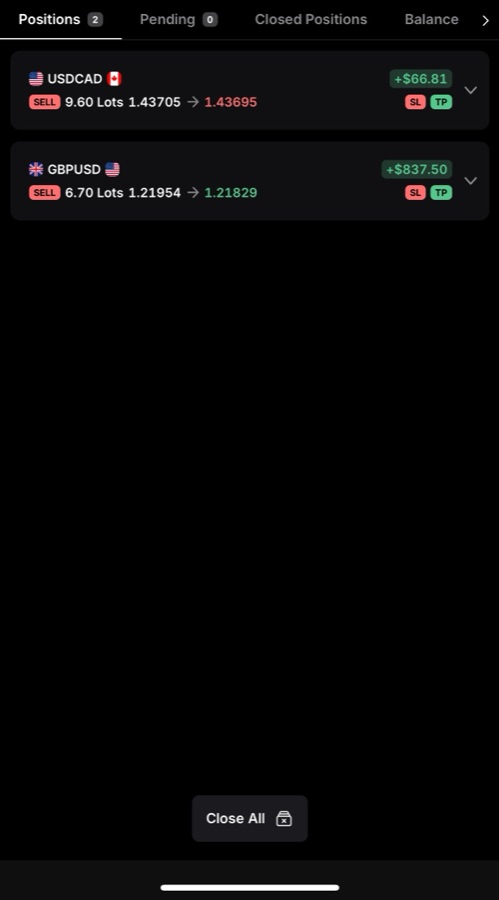
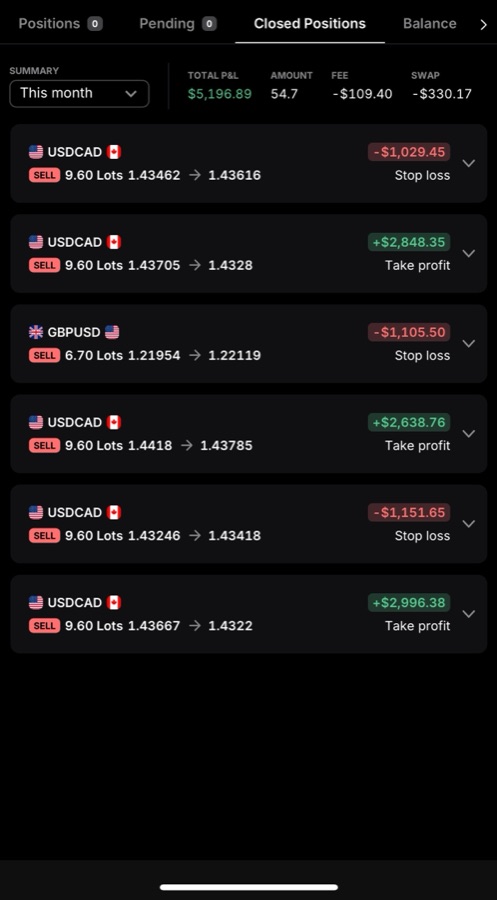
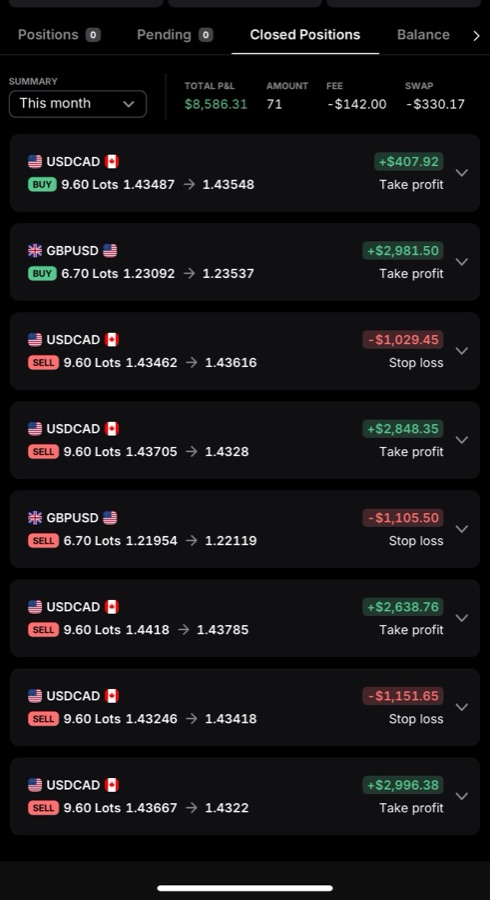
Real screenshots of the Solvera Trading System in action. The indicator marking setups on the chart, and the closed positions that followed. Wins and losses both.
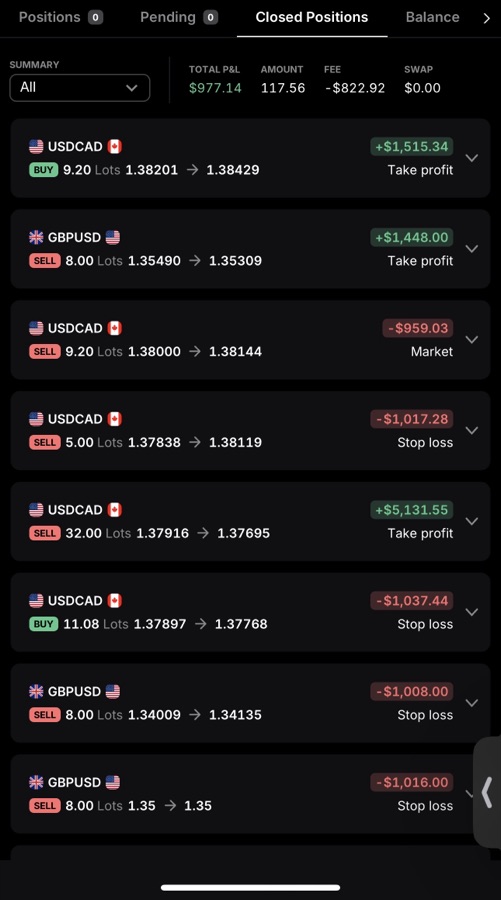
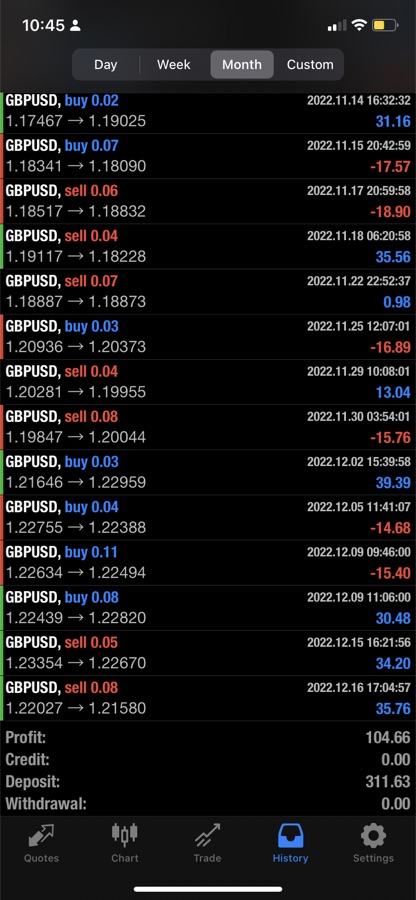
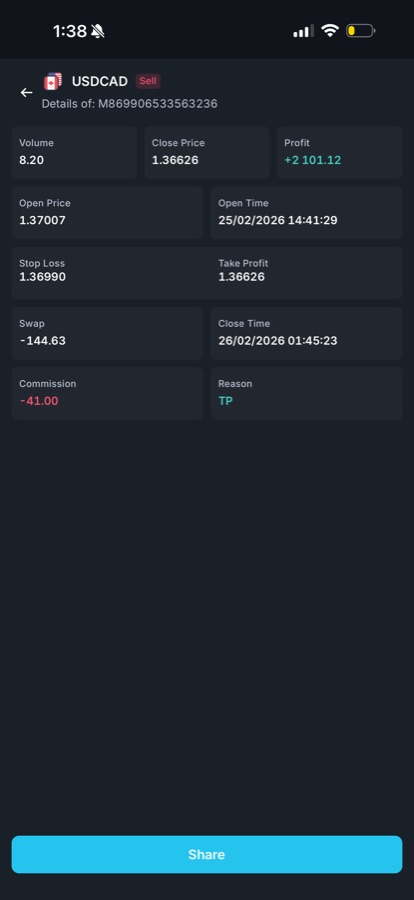
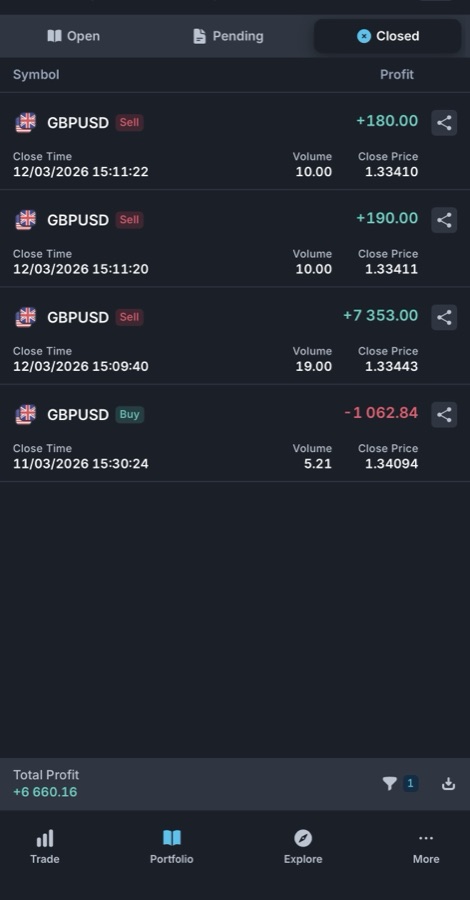
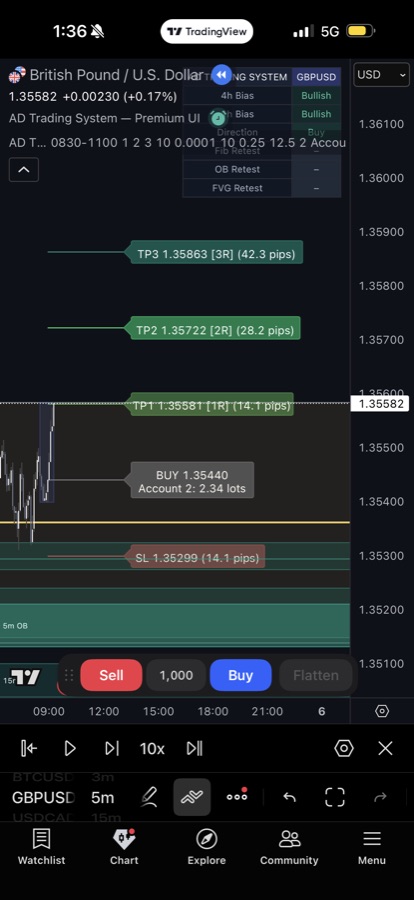
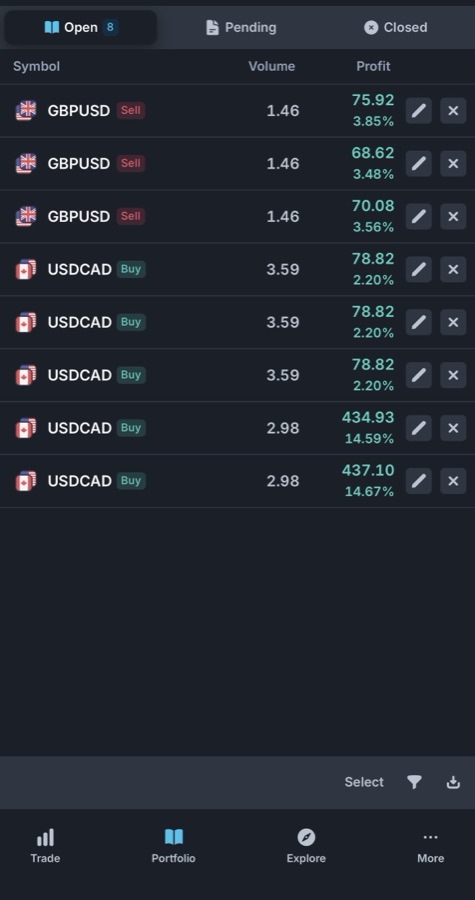
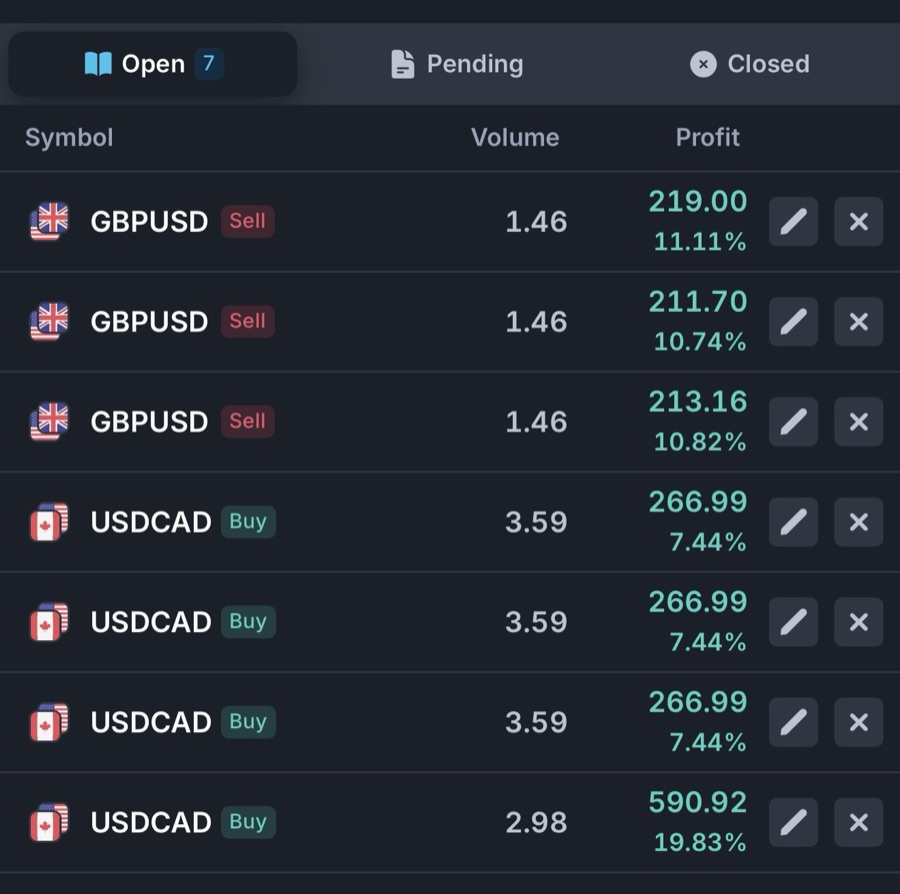
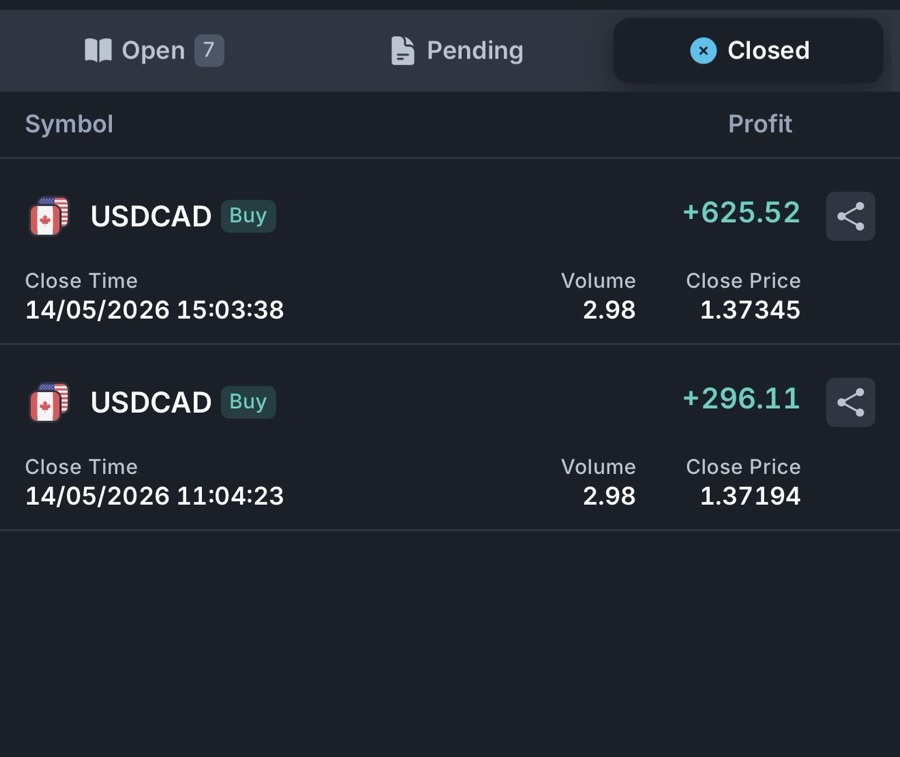
01 / 18
These are real trading screenshots. They include both winning and losing trades. They are examples only and do not represent typical results. Trading carries significant risk of loss, and past performance does not indicate future results. Educational only. Not financial advice. Members make their own trading decisions.
Access
Choose your tier.
Basic
per month, after the 14-day trial
14 days free- Solvera Trading System indicator on TradingView
- Structured entries, stops, and three targets on the chart
- Up to three adjustable account profiles
- Email support for setup and access
- Lifetime indicator updates
$1 today to verify your card, credited to your first payment. Indicator access only.
Premium
per month, after the 14-day trial
14 days free- Everything in Basic
- Private Discord community
- Trading education and setup discussions
- Risk management and discipline conversations
- Connect with other Solvera members
$1 today to verify your card, credited to your first payment. Billing begins on day 15.
Lifetime
one-time payment, no recurring charges
- Everything in Premium, forever
- All future indicator updates included
- No monthly billing, no renewals
- 72-hour fulfillment guarantee
One payment. Lifetime indicator and community access.
All tiers include lifetime updates to the indicator
Member support
Two ways to get help.
Members get email support for setup help, indicator access, technical questions, and billing. Premium and Lifetime members also get a private Discord community for trading education, setup discussions, risk management conversations, and connecting with other traders.
Educational support only. Not financial advice. We do not call entries, exits, or take-profit targets. Members make their own trading decisions.
From
support@solveratrading.com
Subject
Re: Indicator access on TradingView
Got your TradingView username. Access is live on your account now. Open any chart, click Indicators, then Invite-Only — you’ll see Solvera Trading System there.
Full setup guide is at the link in your welcome email. If anything else comes up during setup, reply to this thread and we’ll handle it.
Solvera Trading.
Used for
- · Setup help and indicator access
- · Technical and account questions
- · Billing and subscription support
- · Basic indicator behavior questions
Anyone else watching the 1H structure on USDCAD? The retest into the 50% looks textbook here.
Same. I'm waiting for the 5M to confirm before I take it. Patience over the chase.
What size are you running? Curious how others are handling prop-firm rules on a setup like this.
Used for
- · Trading education and setup discussions
- · Risk management and discipline conversations
- · Connecting with other Solvera members
- · Learning from peer experiences
Questions
Frequently asked.
Is there a free trial?
Yes. Basic and Premium include a 14-day free trial. We take $1 at signup to verify your card is active, and credit it to your first payment, so the trial costs you nothing. Cancel anytime from your account portal before day 15 and you won’t be billed.
Lifetime is a one-time payment with no trial. The 72-hour fulfillment guarantee covers you if access isn’t granted within three days.
What does the Solvera Trading System actually do?
Solvera is a premium charting system that visualizes market structure, key reactive zones, and multi-timeframe context. When the system’s conditions align inside the session, the indicator prints the entry with stop loss and three targets, and writes your estimated position size into the label.
The full setup logic, configuration walkthrough, and reading approach live inside the member onboarding, available after you sign up.
Can it work on any pair or market?
The system was built mainly for Forex, and the recommended pairs are GBPUSD and USDCAD. Those are the pairs it was primarily tested on, and the results were strong. We recommend starting there.
The logic is built on market structure, candle behavior, and price action, with Fibonacci retracements, order blocks, RSI divergence, and moving average confirmation. So the same logic can apply to other Forex pairs or markets. GBPUSD and USDCAD are the recommended starting point. Other markets can work when you understand how to apply the system properly.
Do I need a paid TradingView account?
A free TradingView account works. A paid TradingView plan adds intraday timeframes and more concurrent indicators, which we recommend for serious use, but the indicator runs on free.
How is access granted?
You start your trial, submit your TradingView username, and we add you to the invite-only indicator on TradingView. Most grants happen within minutes during US business hours, always within 24 hours. The Lifetime tier carries a 72-hour fulfillment guarantee.
Will the indicator repaint?
Confirmed marks lock at bar close and stay where they printed. Some reference visuals update with price by design so the read stays current. Entry signals fire on confirmed bars. The full breakdown of what’s live and what’s fixed is documented inside the member onboarding.
What is the difference between Basic, Premium, and Lifetime?
All three include the indicator and email support for setup and access. Premium adds the private Discord community for trading education, setup discussions, risk management conversations, and connecting with other Solvera members. Lifetime is everything in Premium with one payment and no renewals.
Get the indicator on your chart this morning.
Get access14 days free on Basic and Premium · $1 card check, credited back · 72-hour fulfillment on Lifetime